
How to Read a Nutrition Label in 10 Seconds
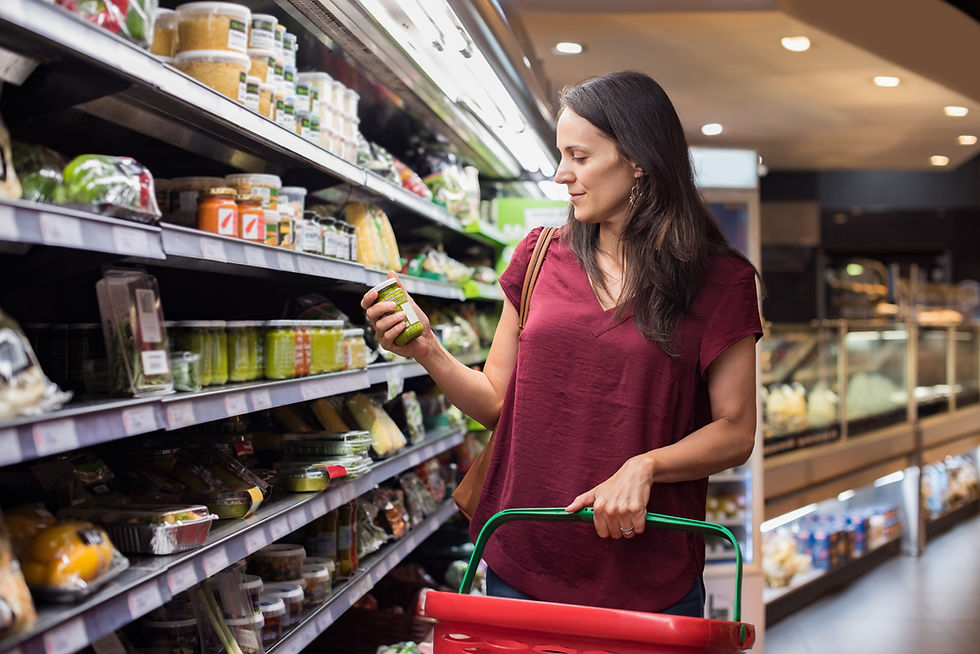
You are standing in the cereal aisle with two boxes in your hands, and the label on each one looks like a wall of tiny numbers. You want the better choice, but you do not want to stand there doing math while your cart blocks the aisle. Good news: you do not have to read the whole thing. There are three spots on the label that tell you almost everything, and once you know where to look, ten seconds is plenty.
The trap at the top of every label
Before any number means anything, find the serving size. It sits right at the top, and every other figure on the panel, including the calories, is based on it. This is the part that quietly trips people up. A bag of chips might say 150 calories, which sounds fine, until you notice the serving size is about 12 chips and the bag holds three of them. Eat the bag and you just had three times everything listed.
According to MedlinePlus, part of the National Library of Medicine, all the information on the label is based on the serving size, and many packages hold more than one. So step one is not a number at all. It is a quick reality check: how much of this am I actually going to eat compared to the listed serving? If you eat double, double everything in your head. That single habit fixes most label confusion before it starts.
The 5 and 20 trick that replaces the math
Down the right side of the label is a column of percentages called the percent Daily Value, or %DV. It tells you how much one serving contributes to a day's worth of each nutrient, using a general 2,000-calorie reference. You do not need to memorize the underlying gram amounts to use it. There is a simple rule of thumb that does the work for you.
Harvard's Nutrition Source food label guide puts it this way: 5% DV or less of a nutrient is low, and 20% DV or more is high. That is the whole technique. Once you have it, the label sorts itself into two buckets in a single glance.
- For the stuff you want more of, like fiber, vitamin D, calcium, iron, and potassium, look for numbers at 20% or higher.
- For the stuff you want less of, like saturated fat, sodium, and added sugars, aim for 5% or lower.
So a cereal with 20% DV fiber and 5% DV added sugars is doing exactly what you want. Flip those numbers and it is candy wearing a healthy costume. You did not calculate a single thing. You just checked whether the good nutrients are high and the ones to limit are low.
This also makes side by side comparison fast, which is the whole reason you picked up two boxes. Just make sure the serving sizes match before you compare, since the percentages ride on them.
One more reason %DV beats counting grams
Grams are abstract. Is 480 mg of sodium a lot? Hard to say off the top of your head. But 21% DV next to it tells you instantly that one serving uses up about a fifth of the day's sodium, and that is on the higher side. The percentage already did the comparing for you against the daily target, so you can skip the mental conversion entirely.
The line worth a second look: added sugars
One of the most useful changes to the modern label is a separate line for added sugars, listed underneath total sugars. This matters because it separates the sugar that is naturally in a food, like the lactose in plain milk or the fructose in fruit, from the sugar a manufacturer poured in. Plain yogurt and a sweetened cup can look similar on the total sugars line while telling completely different stories on the added sugars line.
Why care? The FDA notes that the Dietary Guidelines recommend keeping calories from added sugars under 10% of your daily total, which on a 2,000-calorie diet works out to about 50 grams, or roughly 12 teaspoons, for the whole day. It is easy to blow past that without noticing, and the CDC points to sugary drinks, desserts, and sweet snacks as the biggest culprits, which is exactly where a quick glance at the added sugars line pays off. When that number is low, you are in good shape. When it climbs toward 20% DV, the product is leaning on sugar to taste good, no matter what the front of the box says.
Speaking of the front of the box, treat words like natural, made with real fruit, and good source of as marketing until the back of the package backs them up. The Nutrition Facts panel is the regulated part. The cheerful claims on the front are not the same thing.
Your ten-second routine
Put it together and the whole scan is three moves:
- Serving size. How much will I really eat versus what is listed? Adjust if you are having more.
- Scan the %DV with 5 and 20. Good nutrients high (20%+), the ones to limit low (5% or less).
- Check added sugars. Lower is better, and it tells you what the front of the box will not.
That is it. No calculator, no nutrition degree, no standing in the aisle for five minutes. After a few trips it becomes automatic, and you start noticing patterns, like how two products that look identical on the shelf can be a full bucket apart on sodium or added sugars.
How Omni helps
Even with a good routine, some labels are genuinely fiddly, and not every food comes with one. That is where Omni's food health scans come in. Point your phone at a product and Omni reads the label for you, then hands back a clear letter grade along with a plain-language breakdown of what looks good and what to watch, the added sugars, the sodium, the things the front of the package is hoping you skip. You get the answer the 5/20 rule is pointing you toward, without squinting at six-point type or doing the math yourself.
It is the difference between decoding a label and just knowing. And because Omni also remembers your goals and anything you have told it, like a sodium target or a food you are avoiding, the grade actually reflects you, not a generic shopper. Learn the three-move scan for the quick calls, and let Omni catch the rest.